Focus
Short Break
Long Break
25:00
A free, customizable Pomodoro timer for deep work and study. Adjustable intervals, session tracking, and audio notifications, no signup required.
New here? Our beginner's guide walks you through your first session, step by step.
Bracadia's Pomodoro Timer is a free, customizable timer for study, writing, coding, or any task that needs real focus. Set your intervals, start a session, and work in focused blocks separated by short breaks, no signup required.
It's inspired by the Pomodoro Technique, the time-management method developed by Francesco Cirillo, which breaks work into focused intervals, traditionally 25 minutes, separated by short breaks. Each interval is called a pomodoro, the Italian word for tomato, after the tomato-shaped kitchen timer Cirillo used as a student. Our timer keeps that focused-interval rhythm but lets you adjust it to suit your task and your own focus cycles.
"Pomodoro" is a trademark of Francesco Cirillo. Bracadia is independent and not affiliated with, associated with, or endorsed by Francesco Cirillo.
A simple, powerful Pomodoro timer built for deep work, studying, and any task that needs real concentration
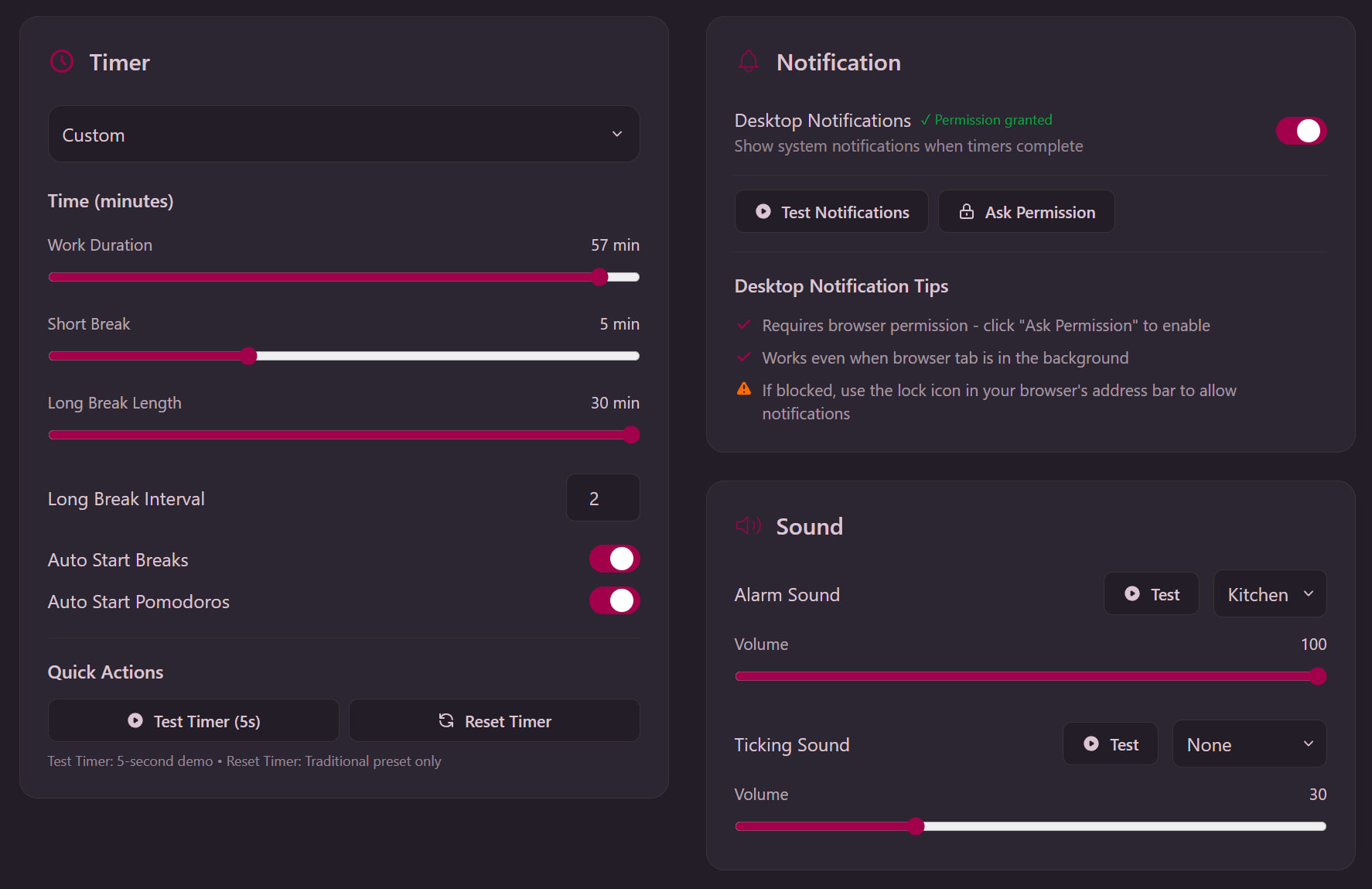
Standard 25/5/30, Studying (15 min), Deep Work (50-90 min), or create your own custom intervals. Different tasks need different rhythms.
Enable auto-start to maintain seamless transitions between work and breaks. Stay in the zone without manual clicking.
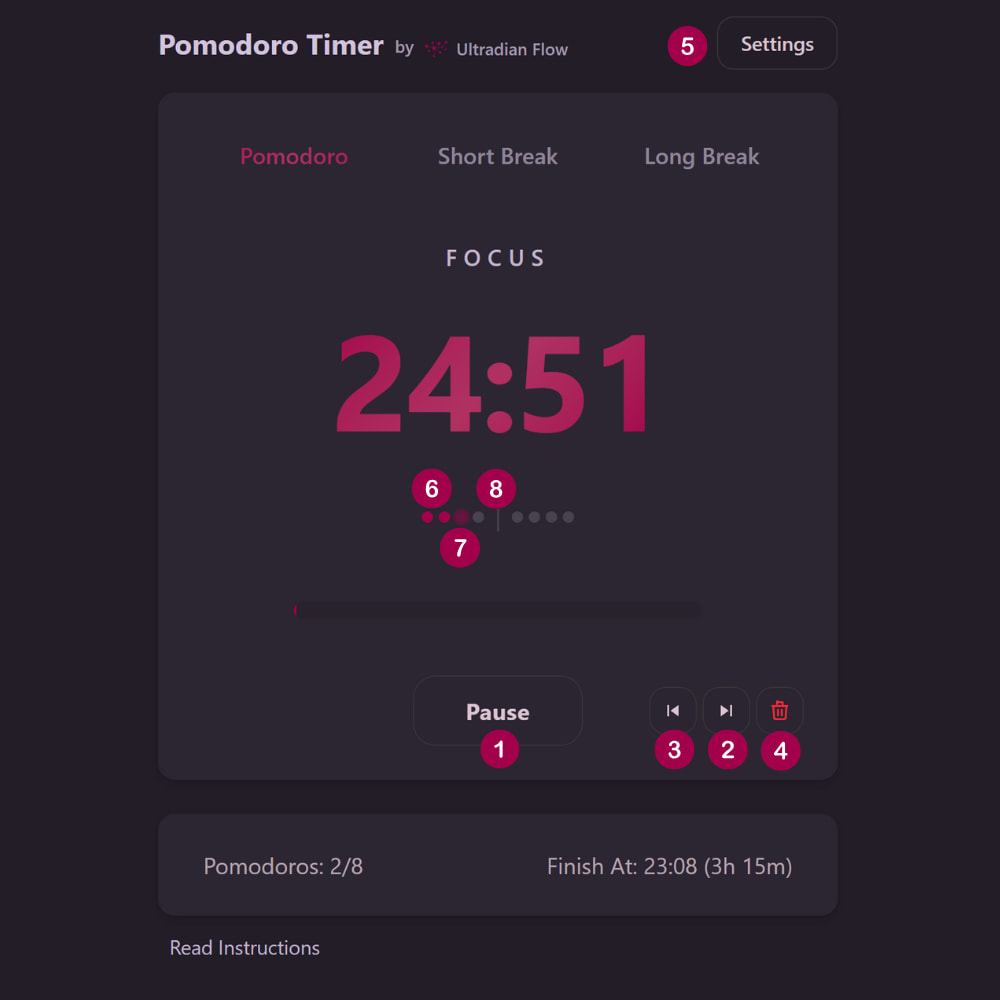
Session dots show completed sessions, your current interval, and when your next long break arrives. See your momentum build.
Multiple alarm sounds with adjustable volume. Desktop notifications keep you informed even when the tab isn't active.
Set your daily session target and see an estimated finish time that updates as you complete sessions.
All your timer settings and preferences are stored locally in your browser. No accounts, no personal data collection. Just you and your work.
A step-by-step guide to using our Pomodoro timer effectively
Works with any focus method: time blocking, the Pomodoro Technique®, 52/17, or your own rhythm.
Before you press start, decide what you want to accomplish today. Make a short, focused to-do list of the tasks you'll work on. You can use your favorite task management app or a simple pen and paper.
The goal is to commit to a handful of priorities for the session, so a larger backlog doesn't pull your attention away while you work.
Prefer paper? Print our free To-Do list and keep it beside your desk.
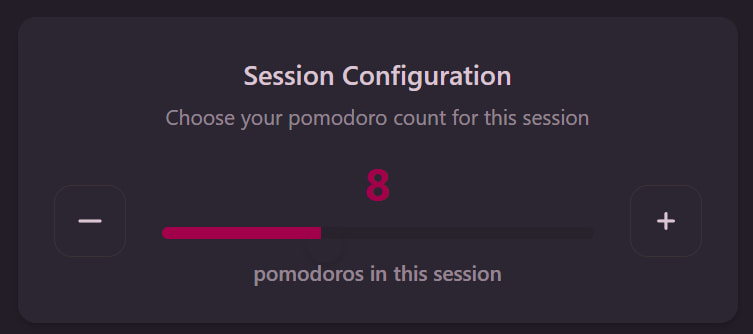
Below the main timer, use the session configuration to choose how many sessions you want to complete (default is 8).
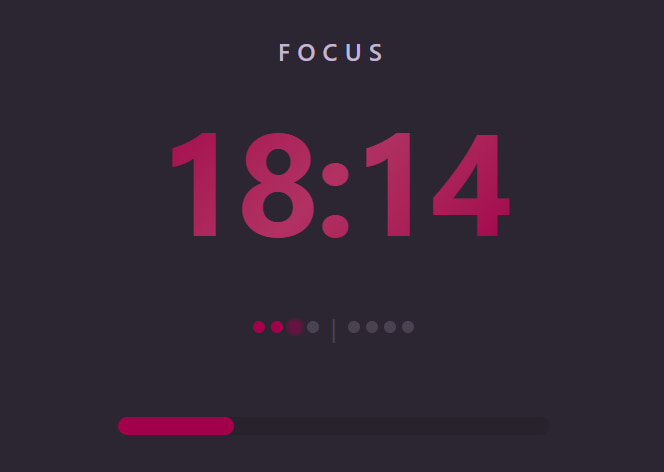
Click Start to begin your first session. The timer counts down from 25 minutes. Work on your chosen task without interruption until the timer rings. The progress bar shows your progress through the interval.
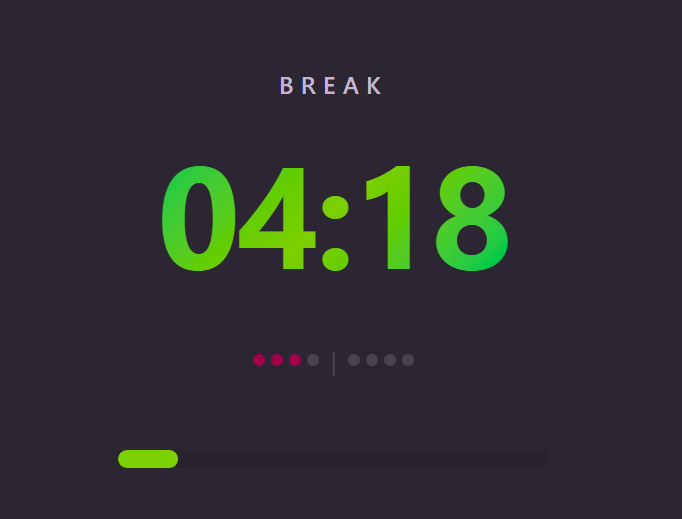
When the alarm sounds, take a 5-minute break. The timer automatically switches to "Short Break" mode if auto-start is enabled. After 4 sessions, you earn a longer 15-30 minute break.
Make it a real mental reset rather than just a pause. Here's what to actually do during a five-minute break, and what quietly backfires.
These break intervals align with your body's natural ultradian rhythms, the 90-120 minute cycles of alertness and fatigue discovered by pioneering physiologists in the 1800s.
Want a paper backup? Grab a one-page focus cheat sheet and a first-session walkthrough to keep beside your desk.
Browse all free downloadsWhat the interface means and how to control it
Popular timer lengths. Open a ready-made timer pre-set to a specific length: 15-minute timer · 25-minute timer · 50-minute timer · 90-minute timer.
Everything you need to know about using the timer
Go deeper, or pick a timer built for a specific kind of work.